Should I build a native app, a cross-platform app or a web app?
For most business apps, build one cross-platform codebase that ships to iOS and Android, and go native only when the product depends on deep phone features. Bookings, orders, account dashboards, chat and AI assistants run well cross-platform. Heavy AR, real-time audio or video processing, and features that live in system surfaces like widgets or watch apps are where native earns its extra cost.
A web app or progressive web app is the right first step when people mostly use it at a desk, you do not need push notifications or a store listing, and you want to test demand cheaply. Plenty of good products start as a web build and add the mobile app once usage proves it.
The quick test: list the five things a user must do in the app. If none of them need the camera, Bluetooth, offline sync or background location, cross-platform or web will cover it. If two or more do, we talk through native modules in discovery before quoting.
How did you build and ship Buddy by Ahmeego to the App Store and Google Play?
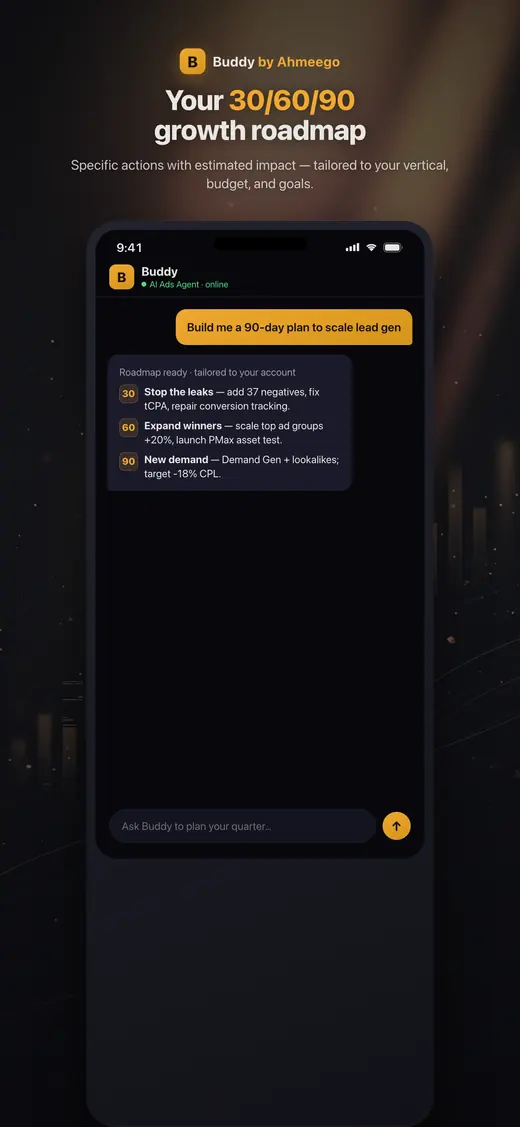
I built Buddy by Ahmeego in Cursor with Claude, shipped a thin read-only version first, and only added write actions behind a confirm step once the numbers in the app matched the live ad account. A green build in the terminal proves nothing about what a user actually sees, so the app had to earn trust on real data first.
The build ran in four moves. Agent mode, so the AI edits the repo directly instead of pasting snippets. A short rules file naming the stack, the folders and the paths that never get touched. A browser audit of the running app, clicking the same path a user would and checking every number against the source. Then ship a small slice. On the phone, the flow stays simple: install, connect the account, ask in plain English, act.
Store work was its own project: privacy disclosures, in-app account deletion, review feedback and release management on both platforms. Every client app gets that same checklist, along with the agent patterns from our AI implementation work.
Sources: App Store: Buddy by Ahmeego, Google Play: Buddy by Ahmeego
What do I need ready before an app build starts?
You need a clear statement of the one job the app does for its user, a decision-maker who can answer questions within a day, and developer accounts with Apple and Google registered in your company's name. Everything else we can work out together in discovery.
Register the store accounts early. Both Apple and Google verify who you are before you can publish, and Apple's organization enrollment asks for a D-U-N-S number, which can take time to obtain if you do not already have one. Owning those accounts yourself also means the app, listings and reviews stay with your business if you ever change developers.
Bring three more things if you have them: the systems the app must talk to, such as your CRM, booking tool, Shopify store or ERP, with API access; a privacy policy you can update; and five real customers willing to test early builds. That last one matters more than any feature list. Send what you have through the contact form and we will scope from there.
Sources: Apple Developer: Enrollment, Play Console Help: App testing requirements for new personal developer accounts
What is Google Play's 12 tester rule?
If your Google Play developer account is a personal account created after November 13, 2023, Google requires a closed test with at least 12 testers opted in continuously for 14 days before you can apply for production access. Organization accounts and older personal accounts are not subject to that rule, per Google's Play Console help.
This catches a lot of first-time founders, because the 14 days only count while 12 people are actually opted in through the test link. An invite on its own does not count, and if testers drop out and you fall below 12, the continuous period is interrupted. After that, you still answer Google's questions about the test before production is approved.
We plan for it in two ways. Register the Play account as an organization where the business qualifies, and line up testers from your real customer list before the closed build is ready, so the clock starts the day it goes live. Either way, a realistic launch plan includes store review on both platforms, not just build time. The same planning applies to apps that support a CRM or field team.
Sources: Play Console Help: App testing requirements for new personal developer accounts
Does my app need Sign in with Apple and in-app account deletion?
If your app lets people create an account, Apple requires that they can also delete that account and its data from inside the app, and if you offer Google or Facebook login for the main account, you must also offer an equivalent privacy-focused login option. Sign in with Apple is the usual way teams meet that second rule.
These two requirements cause avoidable rejections because they touch the backend, not just the screens. Deletion has to remove the account and associated personal data, not just deactivate it, and apps that use Sign in with Apple should revoke the user's tokens through Apple's REST API. Your privacy policy also has to explain retention and deletion in plain terms.
We design these flows into the first build instead of bolting them on after a rejection. Buddy by Ahmeego went through the same requirements on its way to both stores. If your app was already rejected, send us the review message; most guideline notes point to a specific fix. Our AI transparency page covers how we disclose data use.
Sources: Apple: App Review Guidelines (4.8 Login Services, 5.1.1 Data Collection and Storage), Apple: 5.1.1(v) Offering account deletion in your app
Should the AI in my app run on the phone or on a server?
For most business apps, the AI should run on your server, with the phone sending requests and showing results. Putting a model API key inside the app is a security problem, because anything shipped in an app binary can be extracted, and anyone holding that key can run up your bill.
A server layer gives you control the phone cannot. You can switch models without an app update, cap usage per user, log every request, and keep customer data inside systems you already govern. If the AI can take actions, such as changing an order or an ad account, the server is where the confirm-before-write rule lives, so a bug in the app cannot skip it.
On-device models make sense for narrow jobs that must work offline or keep data on the phone, like short text classification. For agents that read business data and propose changes, we use the same pattern as Buddy: read freely, write only after the user approves, and label every change so it can be rolled back. More on that in AI implementation.